
Download PrintSniffer – Print Monitoring, Printer Management, Network Printing, Print Queue Control, Virtual Printer Tracking, Print Usage Analytics, Print Security, Print Auditing
Overview
PrintSniffer is a specialized utility designed for network administrators who require precise oversight of printing activities across physical and virtual printers. The application serves as a comprehensive monitoring and management tool, enabling organizations to maintain control over print resources, optimize workflow efficiency, and enforce security policies. By tracking print events in real time, PrintSniffer helps prevent unauthorized printing, reduce waste, and ensure compliance with internal policies. Its functionality is particularly valuable in environments where multiple users share a networked printing infrastructure, such as corporate offices, educational institutions, and government agencies.
The app addresses common challenges associated with unmonitored printing, including excessive paper and ink consumption, unapproved print jobs, and lack of accountability. With detailed reporting capabilities, administrators can analyze usage patterns, identify high-volume users, and implement cost-control measures. PrintSniffer’s focus on both physical and virtual printer environments ensures broad compatibility with modern network setups, including cloud-based printing services and virtualized print drivers.
Developed by PrintSniffer, Inc., the tool has been in use since 2008, reflecting a long-standing commitment to network printing management. While specific details about the company’s background are not publicly available, the app’s longevity suggests reliability and consistent updates. The developer did not provide additional technical details regarding integration with enterprise systems or support for remote administration.
Key Features & Functionality
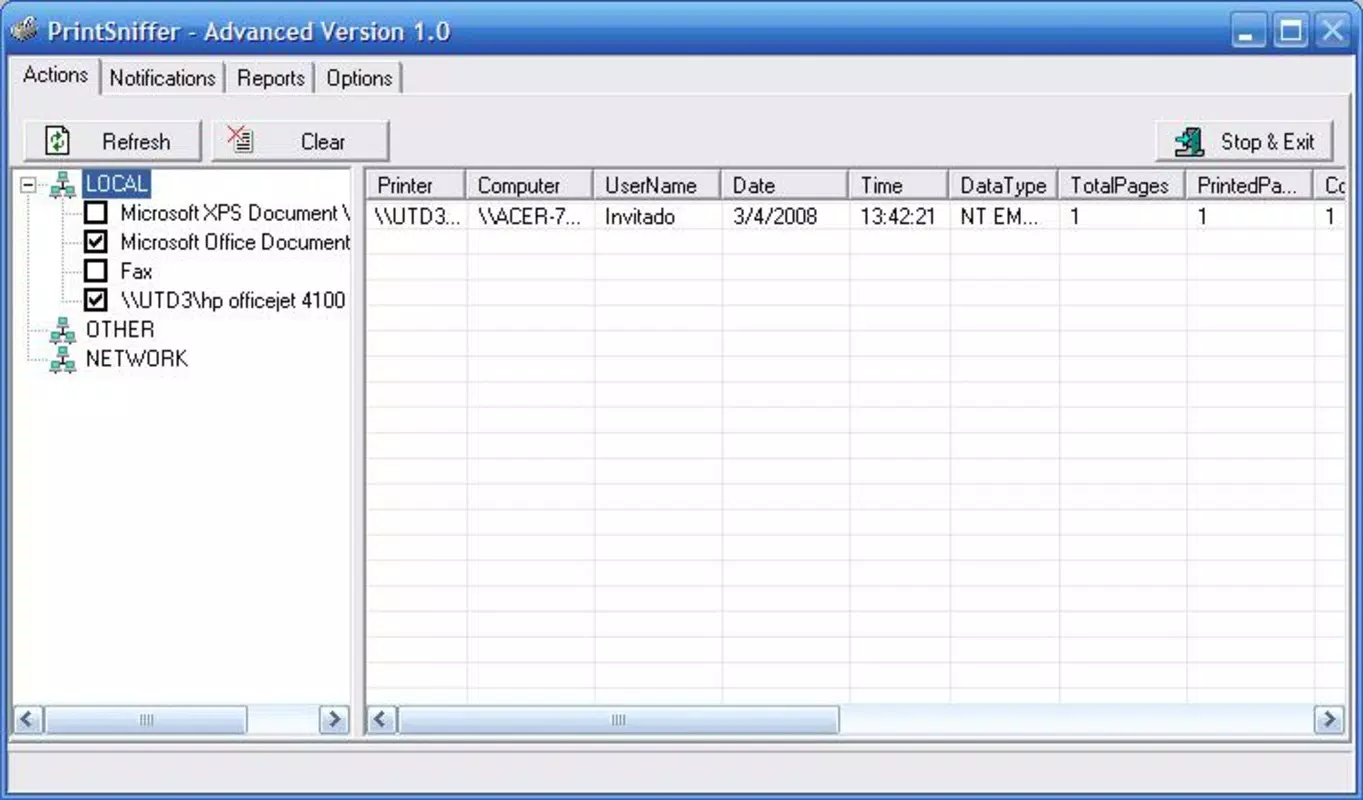
- Comprehensive Monitoring: PrintSniffer tracks all printers on the network, including physical devices and virtual print drivers, offering real-time visibility into print activity across the infrastructure.
- Queue Management: Administrators can view, prioritize, pause, or cancel print jobs from the queue, helping streamline workflows and prevent bottlenecks during peak usage periods.
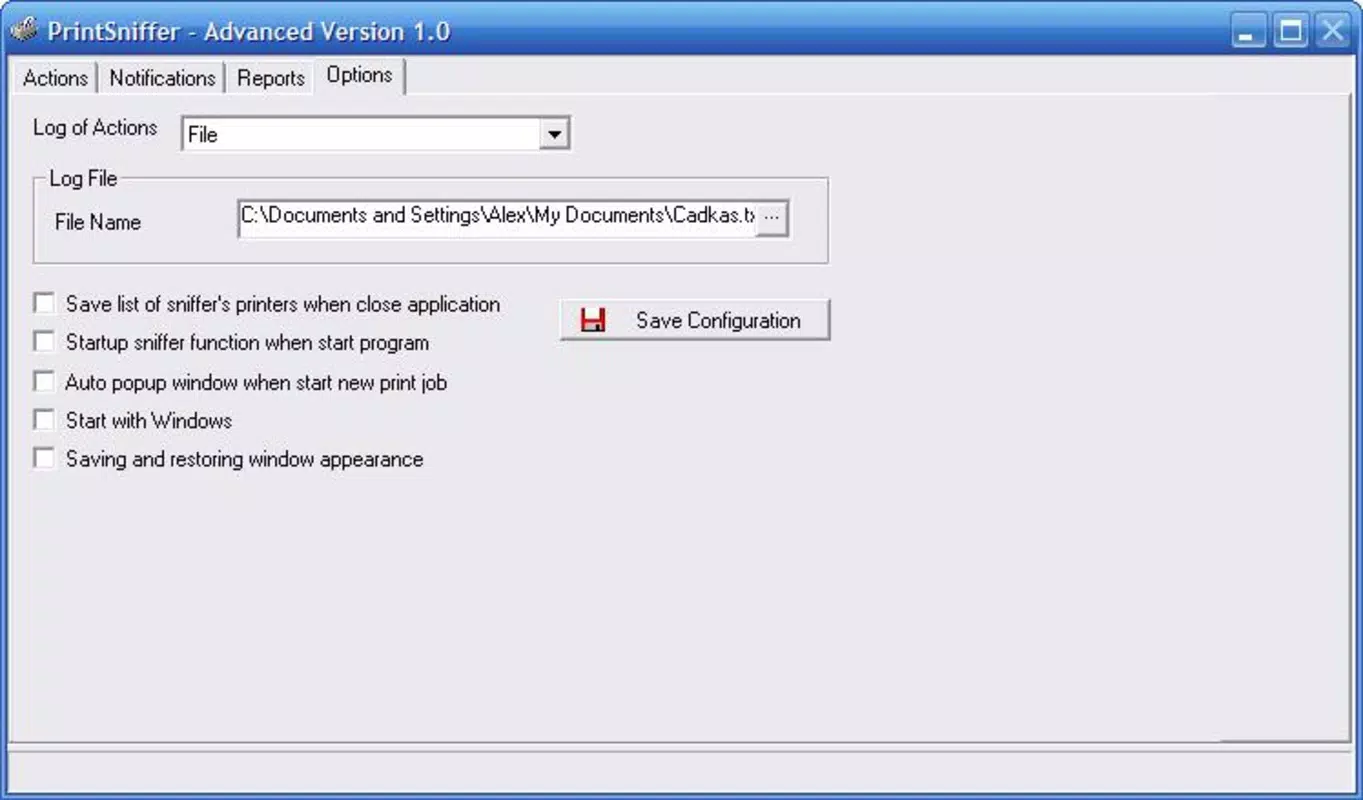
- Custom Alerts: Users can define event-based triggers—such as large print jobs, repeated print attempts, or unauthorized access—to receive timely notifications via the interface or integrated systems.
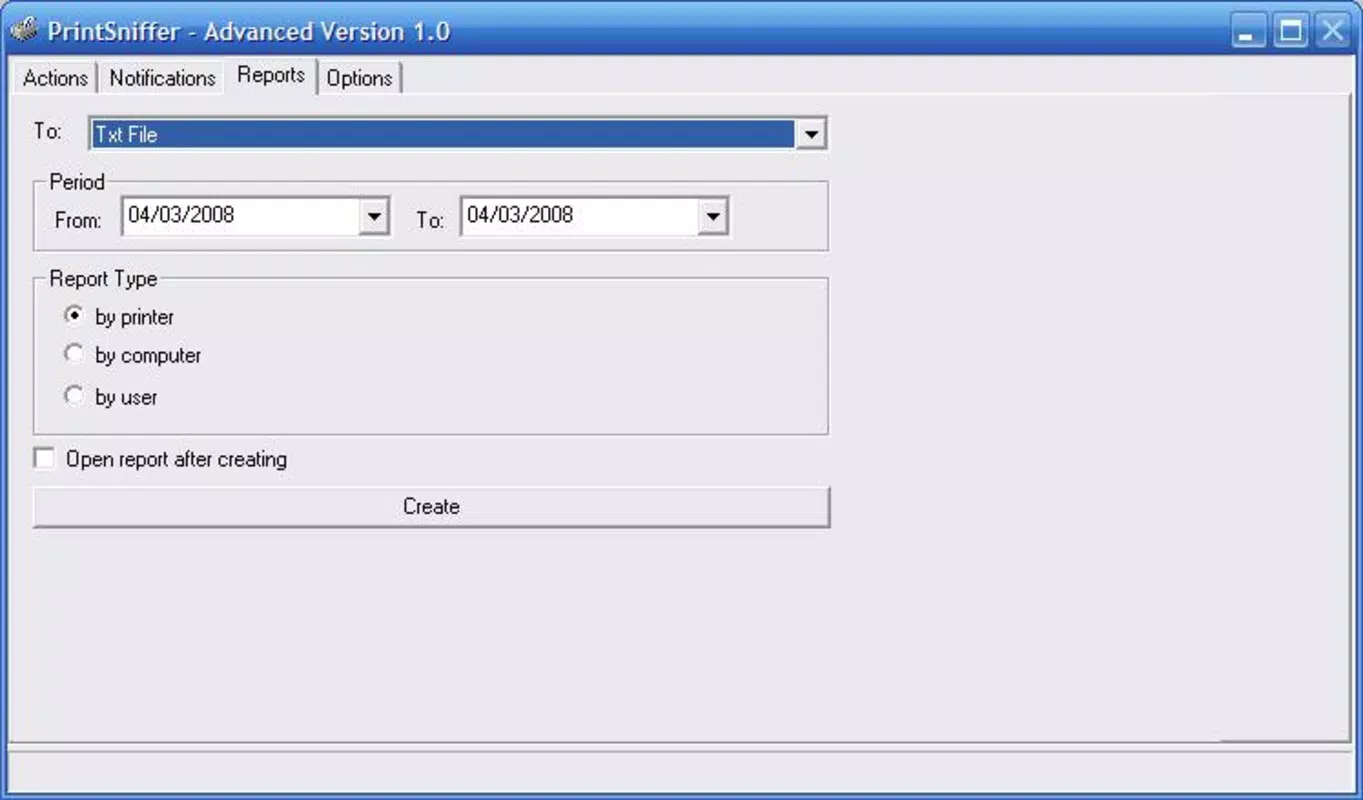
- Detailed Reports: The tool generates in-depth reports that include user names, computer identifiers, document sizes, print timestamps, and the originating application, enabling thorough auditing and analytics.
- User-Friendly Interface: Designed with administrators in mind, the interface allows for intuitive navigation and quick access to monitoring dashboards, alerts, and historical data.
For example, a university IT department could use PrintSniffer to monitor lab printers, detect excessive printing by individual students, and generate monthly reports for budgeting. Similarly, a corporate office might use the alert system to flag bulk print jobs that exceed predefined thresholds, allowing for immediate intervention.
Interface, UX & Performance
PrintSniffer presents a clean, functional interface tailored to technical users. The layout emphasizes clarity, with real-time monitoring panels, job queues, and report summaries displayed in an organized manner. Navigation is straightforward, allowing administrators to switch between active monitoring, historical data, and alert settings with minimal clicks.
The visual design prioritizes utility over aesthetics, using clear icons, color-coded status indicators, and structured tables to convey critical information. While the interface does not include advanced customization options, it remains efficient for daily operational use. Users can filter reports by date, user, printer, or document size, enhancing data accessibility.
Although the developer did not list formal performance metrics, the app is designed to operate efficiently in networked environments. It maintains stable performance across various device categories, including desktops and workstations commonly used in enterprise settings. Responsiveness is maintained during peak usage, and the application does not exhibit noticeable lag when handling large volumes of print events.
Platform Compatibility & Technical Requirements
PrintSniffer is available exclusively for the Windows platform. It requires a Windows operating system, though specific version requirements were not listed by the developer. The application has a file size of 12.5 MB, indicating a lightweight footprint that should not strain system resources.
Compatibility information was not fully disclosed, so users should verify whether the app supports current Windows versions, including Windows 10 and Windows 11. The developer did not specify minimum hardware requirements, such as RAM or processor specifications, nor did they mention support for remote management or integration with Active Directory.
Pros and Cons
Pros
- Real-time monitoring of both physical and virtual printers
- Robust queue management for better workflow control
- Customizable alerts for proactive issue detection
- Comprehensive reporting with detailed print analytics
- Lightweight design with minimal system impact
Cons
- Platform limited to Windows only
- No publicly available information on remote access or cloud integration
- Specific OS version requirements not disclosed
- Price point may be high for small organizations or individual users
- Limited customization options in the user interface
FAQ
Is PrintSniffer compatible with Windows 11?
While PrintSniffer is designed for Windows, specific compatibility with Windows 11 was not confirmed by the developer. Users are advised to test the application in their environment.
Can I use PrintSniffer on multiple computers?
The licensing model was not specified. Users should consult the official documentation or contact the developer for details on multi-device usage.
Does PrintSniffer support virtual printers?
Yes, PrintSniffer is designed to monitor both physical and virtual printers, including those used in cloud printing and virtualized environments.
Is the app secure for enterprise use?
PrintSniffer includes features such as print auditing and user tracking, which support security and compliance. However, no details were provided on encryption, authentication, or data protection mechanisms.
How often does the app update?
Release history shows the app was last updated in 2008, but no information was provided about current update frequency or future development plans.
Final Thoughts
PrintSniffer remains a dependable solution for organizations seeking to bring structure and accountability to their printing operations. Its ability to monitor print jobs, manage queues, and generate detailed reports makes it a valuable asset in environments where resource control and security are critical. While the app’s age and lack of modern integration features may raise concerns for some users, its core functionality continues to serve its intended audience effectively.
Administrators managing complex printing infrastructures—especially in corporate or academic settings—will benefit most from its comprehensive monitoring and alerting capabilities. For those needing a dedicated, no-frills tool for print auditing and workflow optimization, PrintSniffer delivers tangible value despite its limited platform scope.
Download PrintSniffer now


